- info@digitalworld.co.ke
- Nairobi, Kenya

MPesa Integration Guide for Kenyan Developers: Daraja API STK Push in 2024

27
Oct
Why MPesa Integration Is Essential for Kenyan Businesses
MPesa processes over KES 1 billion in transactions every day in Kenya. For any Kenyan business accepting payments online — whether e-commerce, SaaS, school fees, or service bookings — MPesa integration is not optional. It is the payment method your customers trust and use daily.
Safaricom's Daraja API is the official developer portal for MPesa integrations. In this guide, Digital World Kenya walks through how the most popular integration — STK Push (Lipa Na MPesa Online) — works and what you need to implement it.
Understanding MPesa STK Push
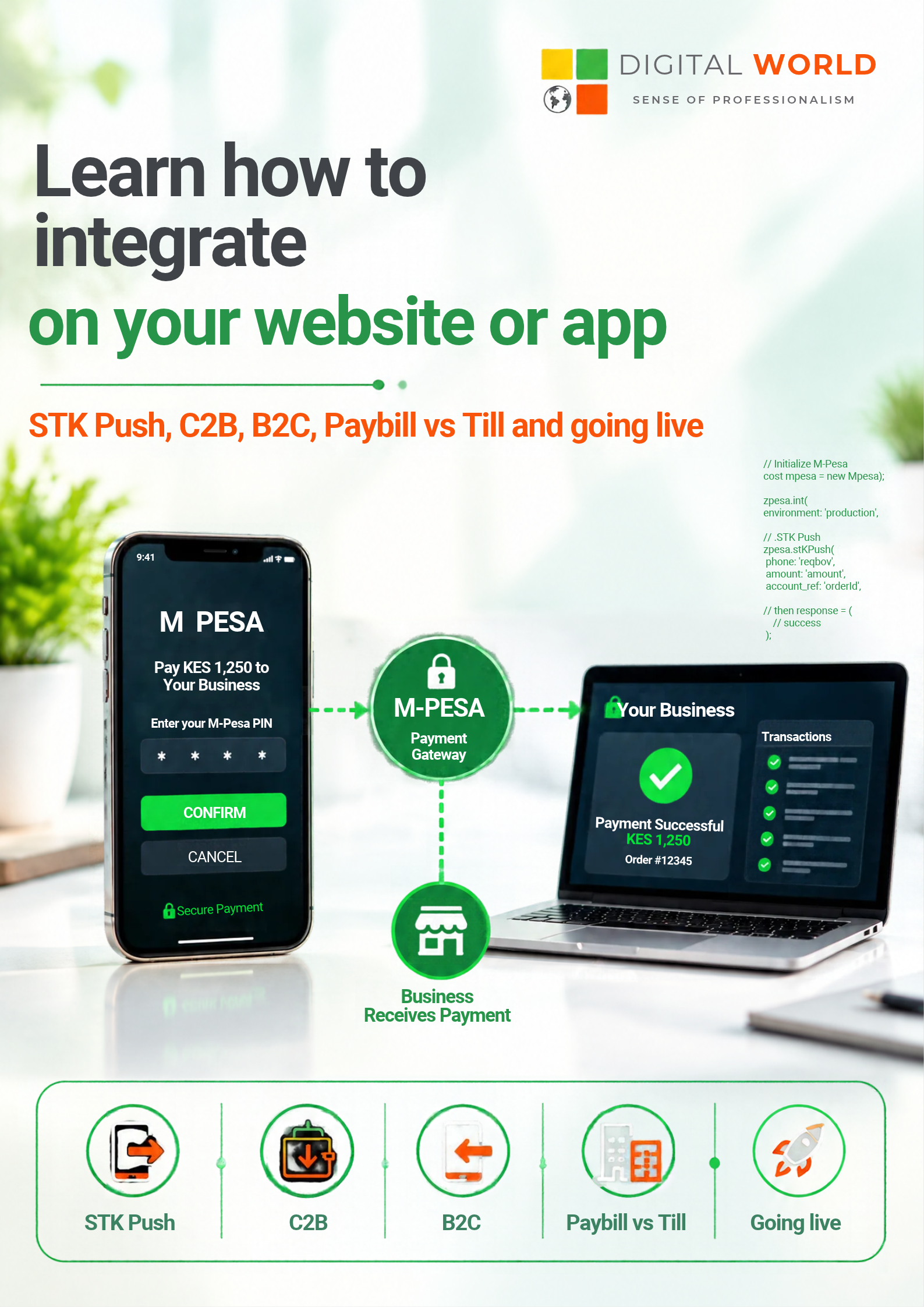
STK Push triggers a payment prompt directly on the customer's phone. The flow is:
- Customer enters their phone number and clicks "Pay with MPesa" on your website or app
- Your server calls the Daraja STK Push API
- The customer's phone receives a prompt asking them to enter their MPesa PIN
- Once the PIN is entered, the payment is processed
- Safaricom sends a callback to your server confirming payment success or failure
- Your system updates the order status and delivers the product or service
Getting Started with Daraja API
Step 1: Create a Safaricom Developer Account
Register at developer.safaricom.co.ke and create a new app. You will receive a Consumer Key and Consumer Secret for sandbox testing.
Step 2: Obtain Your Credentials
For production, you need:
- Business Short Code (Paybill or Till number)
- Lipa Na MPesa Passkey (from Safaricom business portal)
- Consumer Key and Consumer Secret (from Daraja portal)
- An HTTPS callback URL on your server
Step 3: Authenticate
Call the OAuth token endpoint using your Consumer Key and Secret (Basic Auth) to get a Bearer token. This token is valid for 1 hour.
Step 4: Initiate the STK Push
POST to https://api.safaricom.co.ke/mpesa/stkpush/v1/processrequest with your business short code, password (Base64 of ShortCode+Passkey+Timestamp), the amount, customer phone number, and your callback URL.
Step 5: Handle the Callback
Safaricom POSTs the payment result to your callback URL. Parse the result code — 0 means success. Extract the MpesaReceiptNumber and update your order accordingly.
Common MPesa Integration Mistakes
- Using HTTP instead of HTTPS for the callback URL — Safaricom requires HTTPS
- Not handling the pending state — STK Push is asynchronous, poll or wait for the callback
- Phone number format issues — always normalise to 2547XXXXXXXX format
- Not testing thoroughly on sandbox before going live
Need MPesa Integration Done for You?
Digital World Kenya has integrated MPesa into dozens of websites, apps, and enterprise platforms. We handle Daraja API integration as part of all our development projects.
Contact us or WhatsApp +254 790 412 453 to discuss your payment integration requirements.