- info@digitalworld.co.ke
- Nairobi, Kenya
M-Pesa Integration for Business in Kenya: A Practical Daraja API Guide (2026)
29
Oct
By Digital World Kenya · 29 October 2026 · 7 min read
If you sell anything online in Kenya, your customers expect to pay with M-Pesa. Mobile money subscriptions reached about 54 million by June 2026, and M-Pesa holds the lion's share of that market (reported at 88.8%). Integrating M-Pesa into your website, app or system lets customers pay in seconds, and updates your records automatically.
This guide explains how M-Pesa integration works through Safaricom's Daraja API, which option fits your business, and how to avoid common mistakes.
What is the Daraja API?
Daraja is Safaricom's developer platform for M-Pesa. It exposes M-Pesa features through REST endpoints you can call from any backend, such as Laravel, Node.js, Python or Flutter apps. You register on the Daraja developer portal, create an app, get your consumer key and secret, and test in a sandbox before going live.
The main M-Pesa integrations
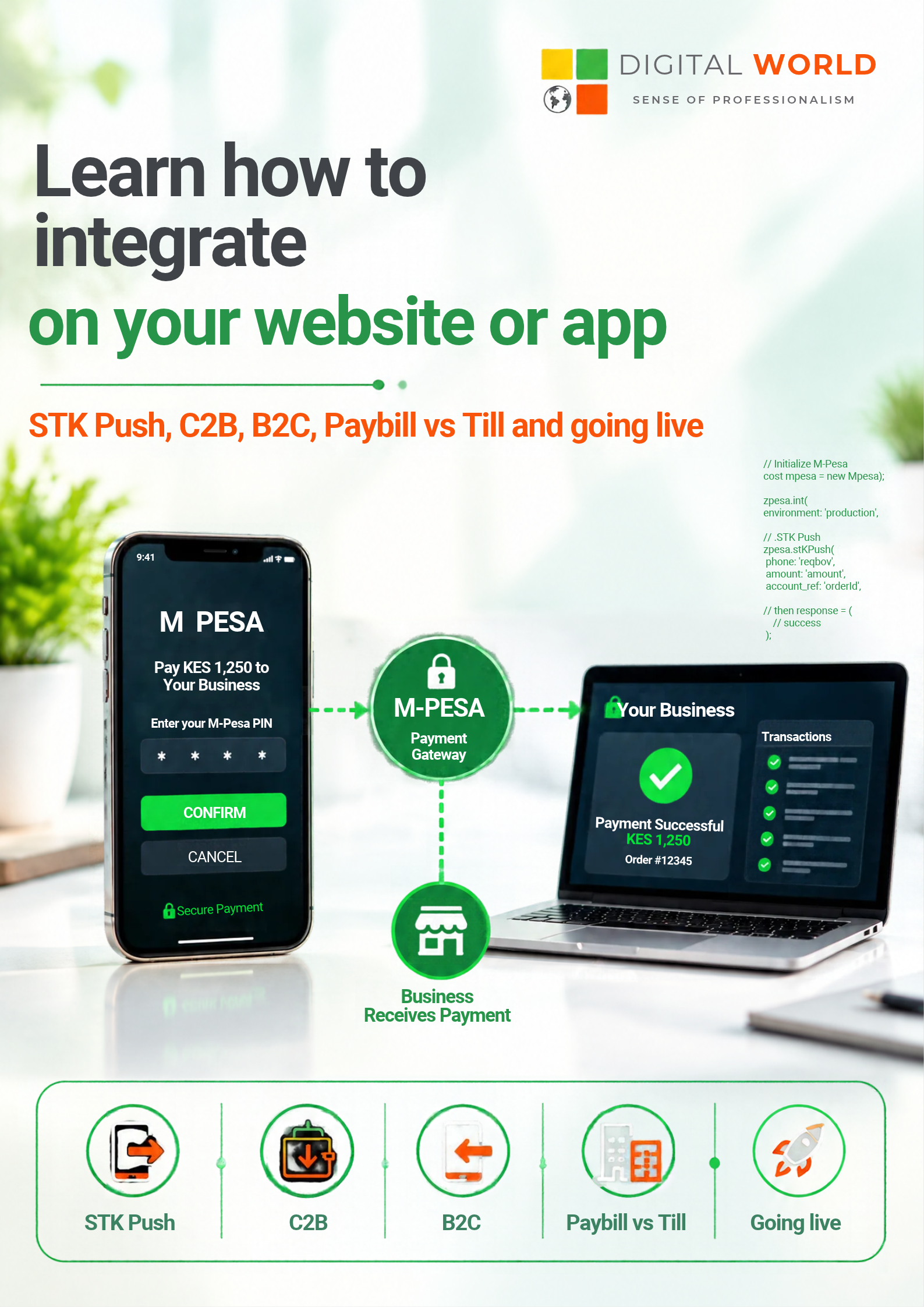
Integration What it does Typical use STK Push (M-Pesa Express) Sends a payment prompt to the customer's phone; they enter their PIN. E-commerce checkout, bookings, subscriptions C2B (Customer to Business) Registers URLs so you are notified when a customer pays your Paybill or Till. Invoices, school fees, rent, till payments B2C (Business to Customer) Sends money from your business to customers' phones. Salaries, refunds, commissions, payouts B2B Moves funds between business shortcodes. Supplier payments, internal transfers Transaction Status and Account Balance Query a payment's status or your balance. Reconciliation, dashboards
How STK Push works
- Your server asks Daraja to start a payment with the customer's phone number (format 2547XXXXXXXX) and the amount.
- Safaricom sends the prompt to the customer's phone.
- The customer enters their M-Pesa PIN, or cancels.
- Safaricom posts the result to your callback URL.
- Your system marks the order paid and sends a receipt.
The first response is only an acknowledgement. The real result arrives later at your callback, so your system must be built to handle that delay.
Paybill or Till?
Use a Paybill when customers must pay against an account number, such as an invoice, student number or rent unit. Use a Till (Buy Goods) for simple retail-style payments. Your choice affects both the setup and how you reconcile payments.
From sandbox to production
- Register on the Daraja portal and create a sandbox app.
- Build and test STK Push, your callback handler and your payment records in the sandbox.
- Prepare for go-live: you need a live Paybill or Till, and Safaricom's go-live process to get production credentials.
- Switch credentials and the base URL to production, and test with small real payments.
- Monitor failures, timeouts and unmatched payments from day one.
A sandbox STK Push can run in hours; allow a few weeks to be live in production.
Common M-Pesa integration mistakes
- Trusting only the first response. Always wait for the callback, and use the STK Push Query endpoint when a callback goes missing.
- No idempotency. Store the CheckoutRequestID and M-Pesa receipt number so duplicate callbacks never double-credit an order.
- An insecure or unreachable callback URL. It must be public and HTTPS, and respond quickly.
- Relying on the customer's phone number in callbacks. Safaricom has reportedly begun masking it, so match payments on your own transaction IDs instead.
- Hardcoding credentials. Keep keys and passkeys in environment variables, never in front-end code or public repositories.
- Skipping failure states. Handle wrong PIN, cancelled prompts, insufficient funds and timeouts with clear messages to the customer.
- B2C security. B2C needs an encrypted security credential, so handle it carefully and keep initiator credentials safe.
Tip: Daraja details change. Always confirm current requirements in Safaricom's official Daraja documentation before you build.
What good M-Pesa integration looks like
A well-built integration is more than an STK Push button. It includes a clean checkout, automatic order and invoice updates, receipts by SMS or email, reconciliation reports, refund and payout flows through B2C, and dashboards for finance teams. It also works well on slower mobile connections. For our earlier technical walkthrough, see our Daraja API STK Push guide, and for the bigger picture read about Kenya's expanding Digital Superhighway.
Need M-Pesa on your website or app?
Digital World Kenya integrates STK Push, C2B and B2C into websites, mobile apps and enterprise systems, and supports you after launch.
Get a free quote on WhatsApp: +254 790 412 453
Frequently asked questions
What is the Daraja API?
Safaricom's developer platform for M-Pesa. It lets your website or app receive payments, send payouts and check transaction status.
What is STK Push?
A payment prompt sent directly to the customer's phone. They enter their M-Pesa PIN and the result is delivered to your callback URL.
How long does integration take?
A sandbox version can work in hours. Production depends on your shortcode and Safaricom's go-live process, so plan for a few weeks.
Do I need a developer to integrate M-Pesa?
Yes, for a secure and reliable result. A developer handles callbacks, security, reconciliation and edge cases. Message us on WhatsApp and we will scope it with you.
Sources
- What is the Daraja API? (Helloduty)
- How to Integrate the Safaricom M-Pesa Daraja API (ABA)
- M-Pesa Daraja API Integration Guide for Developers (Mctaba)
- Mobile money subscriptions (Biznakenya, citing the Communications Authority)
- Mobile money accounts and M-Pesa share (Techweez)
- Safaricom Daraja developer portal